

how to request available appointments via osmind patient portal?
Osmind app (patient portal) now allows existing patients to request an appointment slot. When you login, you will be able to see all the available/open follow-up slots. You can follow the instructions below to request an available slot.
**NOTE: The system doesn't currently allow patients to cancel an existing appointment or change it. It only allows for a new appointment. So, you can follow the steps below and message Dr. Amin via the portal or the app to request cancelation of any existing appointments.
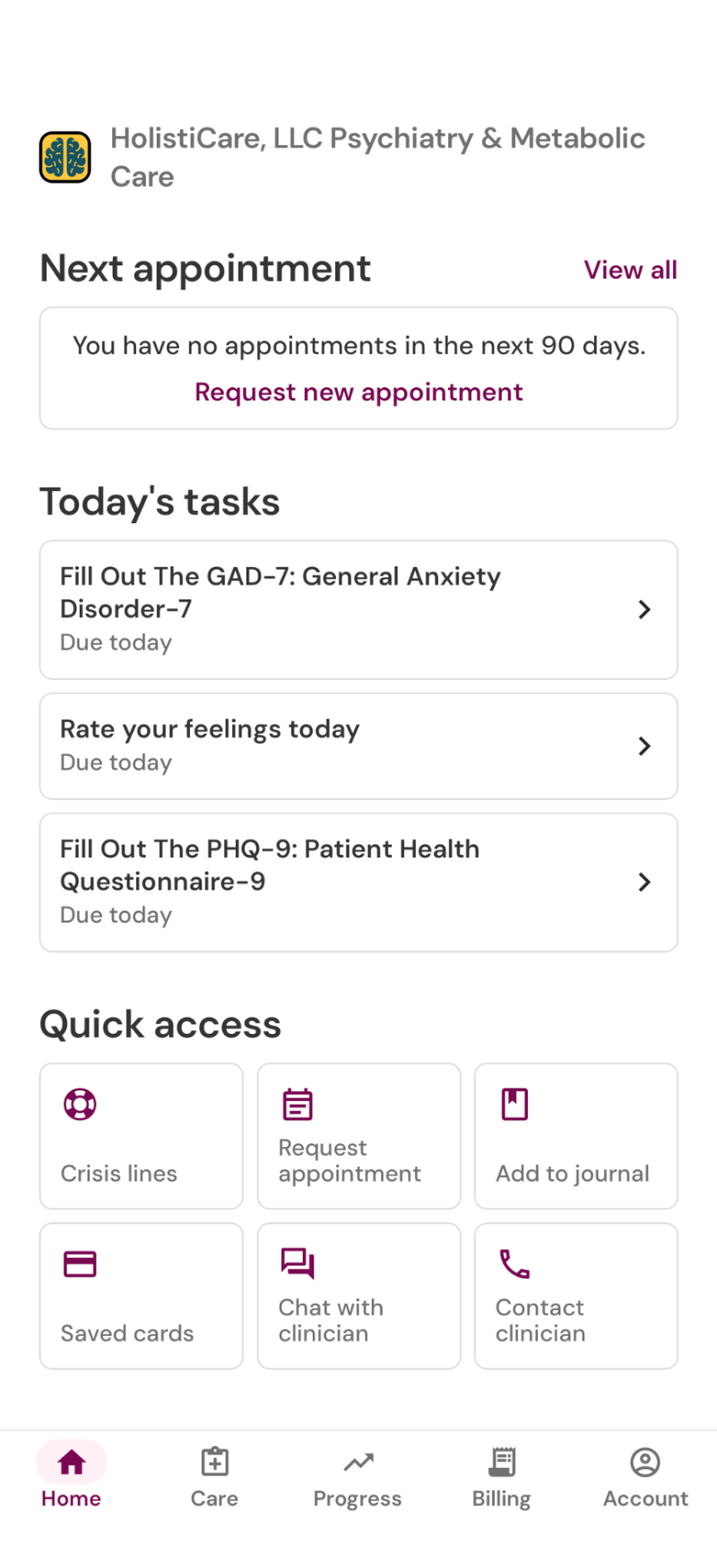
Step 1:
Either log in to the Osmind app or go to the patient porta via your web browser: https://app.osmind.org/
Here, you will see the above screen. Select "Request new appointment"
Need the Osmind app?
Download the Osmind app
Android: https://play.google.com/store/apps/details?id=com.osmind.osmindmobile&hl=en_US
Apple: https://apps.apple.com/us/app/osmind/id1517721014

Step 2:
Select the appointment type. Typically this would be the Medication Management & Brief Therapy- Virtual (30 min) option
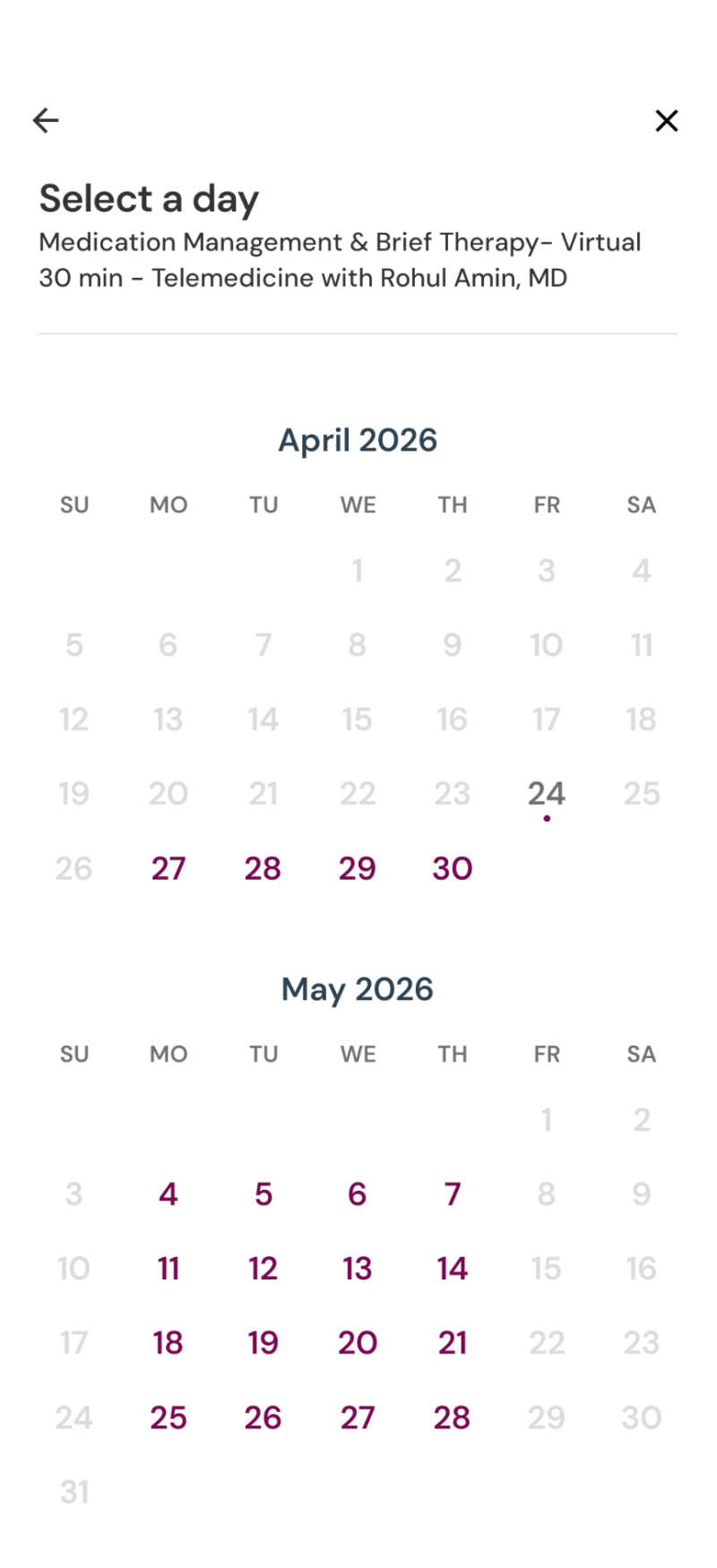
Step 3:
Select the date when you want to schedule your appointment to view the available slots.
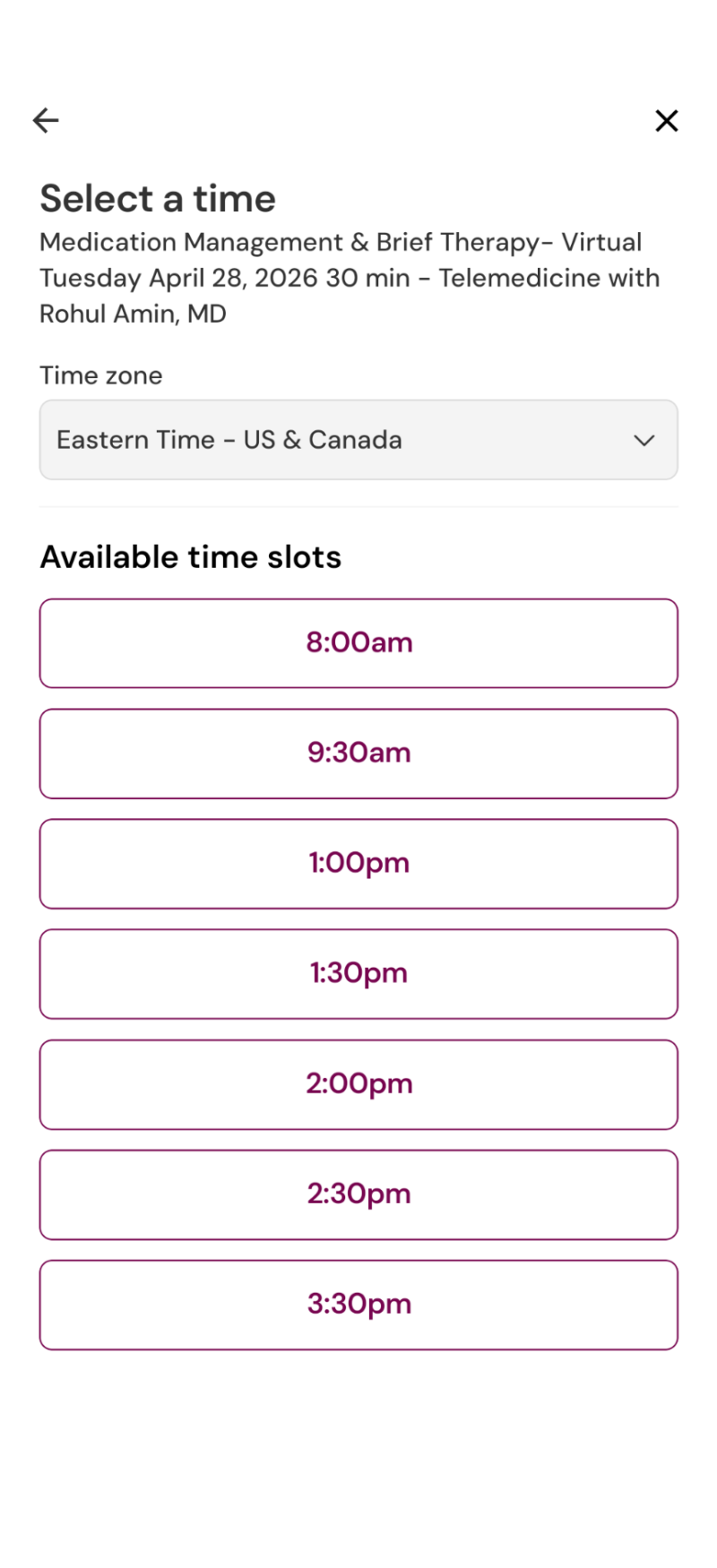
Step 4:
Select the slot that works for you for submission. Dr. Amin will receive your request and you will get a confirmation message.
**NOTE: The system doesn't currently allow patients to cancel an existing appointment or change it. It only allows for a new appointment. So, you can follow the above steps and message Dr. Amin via the portal or the app to request cancelation of any existing appointments.